Jacky
Jacky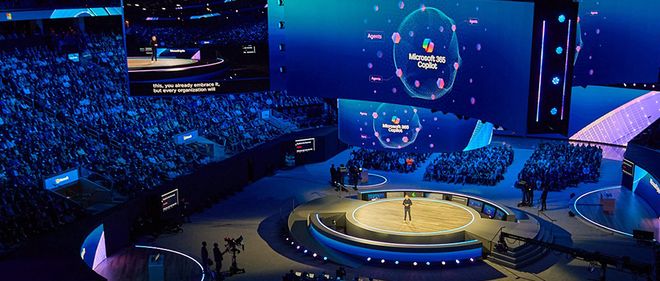
At Microsoft Ignite 2025, Microsoft’s Copilot “full suite” underwent a comprehensive upgrade. It introduced new features for Microsoft 365 Copilot, including capabilities such as agent linkage, voice conversations, and the ability to capture images and text.
This upgrade by Microsoft is highly focused on agents. Services have been added to Windows, Word, Excel, PowerPoint, and more, with agents like Manus and Fellou already integrated. Additionally, a brand-new agent control platform, Agent 365, has been launched to assist users in managing agents.
At the same time, Microsoft made a significant announcement by introducing Work IQ, an intelligent layer that remembers user preferences and workflows. This layer can predict user actions, recommend agent applications, and support customizing agents based on individual characteristics.
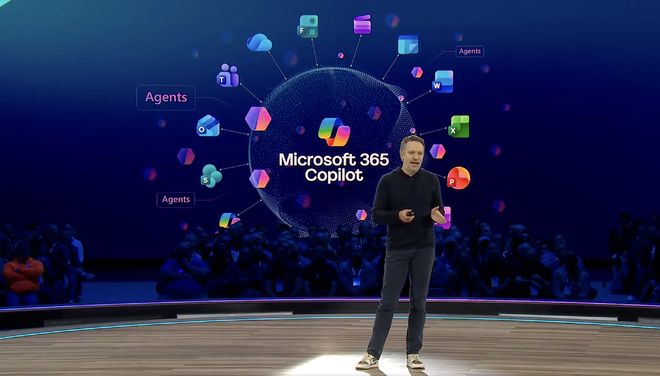
I. Work IQ: Giving Copilot “Memory” and Supporting Custom Agents
Currently, over 90% of Fortune 500 companies are using Microsoft 365 Copilot. Last year, it introduced more than 400 new features and incorporated the latest models into Copilot, ranging from GPT-5 to Sora 2, as well as other external models, including those developed by developers themselves.
Work IQ is the intelligent layer behind Microsoft 365 Copilot and its agents, helping Copilot understand users, their work, and their companies.
Firstly, it encompasses users’ work data. All the rich knowledge is embedded in users’ emails, files, meetings, and chat records, which document how work is accomplished.
Secondly, it includes users’ memories, encompassing their styles, preferences, habits, and workflows, which represent unique work patterns and interpersonal relationships. It understands not only the organizational chart but also the user’s work architecture.
Thirdly, its reasoning function combines data and memory to establish valuable connections, uncover insights, and predict the best next actions, far exceeding the capabilities of mere connectors. For example, Copilot will recommend suitable agents to complete tasks based on user prompts and intentions.
This is an AI-driven feedback loop: Work IQ is integrated into applications users use daily, such as Word, Outlook, and Teams, so Copilot continuously learns and utilizes these learning signals to provide more personalized and customized experiences.
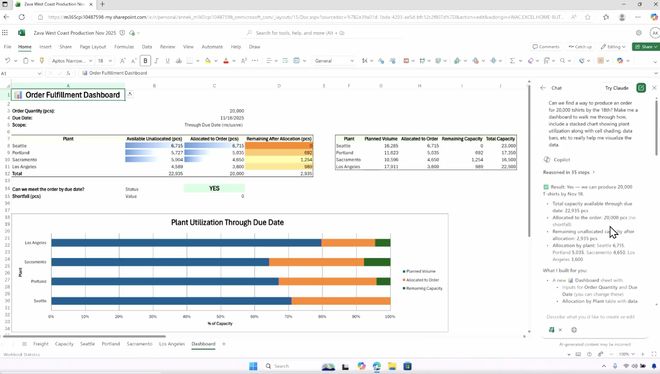
With Work IQ for Custom Agent, users can now leverage this intelligent layer to build agents tailored specifically to their unique workflows and business needs. This enables a secure agent infrastructure that respects existing permissions, sensitivity labels, compliance controls, auditing, logging, monitoring, and policy enforcement. It is available in Copilot Studio and can also be used for professional code agent development via APIs.
II. Comprehensive Update to Copilot: Office Supports Agent Mode, Live Demonstration of Voice Conversations
Microsoft 365 Copilot has undergone a comprehensive update this time. Last month, Microsoft introduced the agent mode for Office applications. With Excel’s agent mode, users can now choose between Anthropic and OpenAI reasoning models. Word’s agent mode has been officially released, while PowerPoint’s agent mode is available through the Frontier program.
Additionally, the new Word, Excel, and PowerPoint agent features allow users to create high-quality documents, spreadsheets, and presentations within Copilot chats. These features are also accessible through the Frontier program.
Now, users can use the Microsoft 365 Copilot app to have voice conversations with Copilot just like with colleagues. On mobile phones, users can ask Copilot questions like “What are my top priorities today?” or “Help me understand what I missed in the meeting.” This feature will be officially launched in December. Copilot in Outlook allows users to easily manage their inboxes and calendars anytime, anywhere using just their voice, and it is currently in public preview.
Users can also utilize new one-click prompts like “Summarize and Reply” to quickly read and reply to emails and schedule meetings, all from their mobile phones. This feature has been officially launched.
Microsoft has also added a new action called “Ask Microsoft 365 Copilot,” which captures any supported image or text and automatically sends it to Copilot.
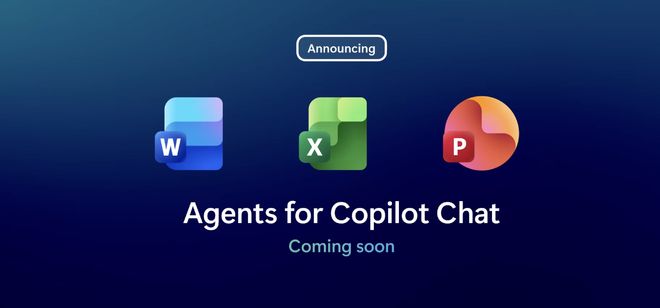
Copilot Chat is a secure and reliable AI work chat tool available for free to all Microsoft 365 subscribers. Soon, it will support agent mode in chats and Office applications, and the Copilot feature in Outlook will be able to recognize users’ inboxes and calendars, with a preview version to be launched in early 2026.
Sora 2 brings next-generation AI video creation into the workplace. Now, users can use the Create feature to produce, edit, and share short videos for marketing or social media content, accessible through the Frontier Program.
Edge for Business has won the trust of numerous top-tier clients, accounting for a significant portion of their browsing time. When Copilot mode is enabled, it becomes the world’s first secure enterprise-grade AI browser. Microsoft 365 Copilot licenses support multi-step workflows, and the multi-tab reasoning feature will be launched soon through the Frontier program.
Microsoft is turning human-machine collaboration into a reality. The Teams mode of Microsoft 365 Copilot can convert one-on-one chats in Copilot into group chats in Teams (public preview). Microsoft has also introduced collaboration-focused agents to Copilot, equipping each team, project, and meeting with an AI teammate. The facilitator agent in Teams can guide the agenda, take notes, ensure the meeting stays on track, and even help manage various actions during the meeting (official version). Now, agents in Teams channels can collaborate with third-party applications and agents, such as GitHub, Asana, and Atlassian (Jira), through the Model Context Protocol (MCP) server.
III. Copilot and Business Agents: Transforming Business Processes, with GPT-5.1 Integrated
Microsoft aims to help every customer transform their business processes through agents, and Copilot serves as a window for users to understand agent workflows.
The Sales Development Agent can help enhance the productivity of sales teams. It can work autonomously on behalf of users, helping build sales channels, nurture leads, and achieve personalized customer outreach, allowing salespeople to focus on closing deals. It can connect to sales data in CRM tools like Salesforce and Dynamics 365 and perform operations directly within the workflows of Microsoft 365 applications. It will be available through the Frontier Program in December 2025.
Last month, Microsoft introduced new ways to easily build applications, workflows, and agents using natural language. App Builder allows users to create and deploy applications in minutes, while workflow agents can help automate tasks on a schedule or based on events, accessible through the Frontier program.
Microsoft continues to provide a variety of OpenAI and Anthropic models in Microsoft Copilot Studio, enabling users to choose the right model for their tasks when building agents. Just last week, Microsoft also added OpenAI’s latest model, GPT-5.1.
Microsoft Agent Factory helps enterprises build agents using Microsoft Foundry and Copilot Studio and deploy them anywhere, including Microsoft 365 Copilot, with a pay-as-you-go plan that eliminates the need for upfront licensing and configuration fees.
The Workforce Insights smart assistant provides leaders and managers with comprehensive, real-time insights into teams and organizations, covering employees’ roles, tenures, and geographical locations, helping leaders make data-driven HR decisions. It is part of a series of new smart assistants aimed at enhancing the employee experience by fostering interpersonal connections and accelerating skill development. Users can access it through the Frontier Program.
IV. Launch of Agent 365: The Control Center for Agents
Agents are transforming the way people work, and IDC predicts that there will be 1.3 billion intelligent agents by 2028. Agent 365 is a control platform for intelligent agents, extending the reliable infrastructure users use to manage employees to agents.
Whether users’ agents are created using Copilot Studio, Microsoft Foundry, open-source frameworks, or from a growing ecosystem of partners, including Adobe, Manus, SAP, ServiceNow, Workday, and more, Agent 365 helps users deploy, organize, and manage them securely.
Agent 365 includes five key features:
- An information table that provides users with a single source of truth for all agents within the organization.
- Access control to manage agents and restrict their access, allowing them to only access the resources needed to perform specific tasks.
- Visualization, with unified dashboards and advanced analytics to view connections between agents, people, and data, and monitor agent behavior and performance in real time.
- Interoperability, enabling agents to use applications and data to streamline human-machine workflows.
- Security measures designed to help protect agents from threats and vulnerabilities and detect, investigate, and remediate attacks targeting agents.
V. Windows Fully Introduces Agents: Manus and Others Already Integrated
“Ask Copilot” on the taskbar is the entry point for users to access Microsoft 365 Copilot, agents, and search, providing instant access via voice or text.
Now, users can use the Windows taskbar to find applications, files, and settings, and launch, call, monitor, and manage agents like Researcher, with more first-party and third-party agents coming soon.
Windows 365 for Agents enables developers to create and deploy enterprise-grade agents on secure, policy-controlled cloud PCs that can be streamed from the Microsoft cloud. It supports first-party advanced AI projects, such as Copilot Studio running in a full Windows environment and Microsoft Researcher running in a Linux environment.
Microsoft stated that leading agent builders, including Manus, Fellou, GenSpark, Simular, and Tinyfish, have already started leveraging Windows 365 for Agents to deliver next-generation AI solutions.
For example, Manus is using Windows 365 to provide secure, scalable, and always-available computing resources for its general AI agent, enabling users to access their smart assistants wherever they are. With Windows 365 for Agents, enterprises can accelerate AI adoption and scale workloads while complying with Microsoft’s consistent compliance protections. It is currently in public preview.
Conclusion: Expanding Ecosystem Partnerships Around Agents
Microsoft’s latest update is centered around agents and has expanded its ecosystem partnership scope. In addition to the major product updates mentioned above, Microsoft is also empowering security professionals by integrating 12 new agents into the workflows of Microsoft Defender, Entra, Intune, and Purview. These agents are now available to Security Copilot users with Microsoft 365 E5 and will be rolled out to all Microsoft 365 E5 license customers in the coming months.
An increasing number of organizations are expected to leverage the power of AI to grow their businesses. Microsoft 365 Copilot Business is a new service designed to provide AI solutions tailored for work to all small and medium-sized enterprises. Open to businesses with fewer than 300 users, Microsoft 365 Copilot Business is priced at $21 per user per month and will take effect from December.