Jacky

According to IBM’s latest annual report, the company had approximately 270,000 employees globally as of the end of 2024. Based on this figure, even the minimum layoff rate of 1% would mean that 2,700 people could lose their jobs.
However, IBM also emphasized that although this round of layoffs may affect some positions in the United States, the company expects its total number of employees in the U.S. to remain roughly the same as the same period last year. This suggests that while some roles may be cut, the company is also hiring in other areas.
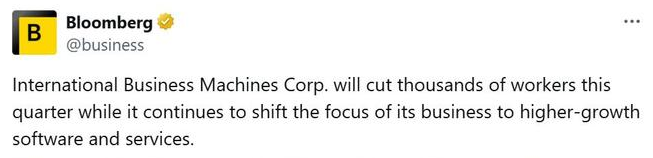
This round of layoffs is not an isolated case but part of a broader trend across the tech industry. Several major tech companies, including Amazon and Meta, have recently been downsizing their workforce, with executives generally aiming to boost productivity by increasing reliance on artificial intelligence (AI) tools.
For example, Amazon announced in October that it would lay off 14,000 corporate employees, while Meta’s AI division also cut 600 positions. The industry widely believes that leveraging AI to reduce costs and improve efficiency has become a core strategy for these tech giants.
IBM itself has long been exploring how AI can reshape its human resources. The company’s CEO, Arvind Krishna, revealed in May this year that AI systems had already taken over the work of about 200 HR department employees. He stated that by automating repetitive tasks, the company has been able to reallocate resources and hire more much-needed salespeople and software developers to drive business growth.
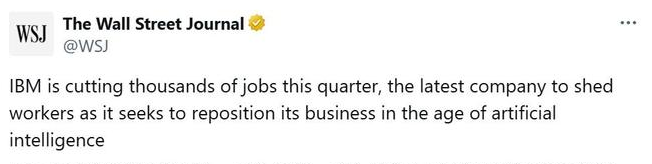
Notably, IBM’s announcement of layoffs comes at a time when its business performance remains strong. The company’s third-quarter earnings report, released on October 22, showed that both its profit and revenue exceeded market expectations, with software business revenue achieving a 10% year-over-year increase. Since Arvind Krishna took over as CEO in 2020, he has successfully helped IBM expand its revenue base, and this round of layoffs is seen as part of his ongoing efforts to optimize the company’s structure and focus on core business strategies.
Look for continuity without constant callbacks
A companion should use remembered context when it helps, not repeatedly announce that it remembers. Good continuity reduces the need for the user to restate important information and makes recurring activities easier to resume.
If every response references old history, personalization can feel forced rather than natural.
Check how the system handles a mistake
Correct a fact, reject a suggestion or change topic abruptly. The companion should repair the interaction and update the relevant state instead of arguing or repeating the same assumption later.
Evaluate whether the relationship remains user-led
Notifications, progression and premium features should support the user’s chosen interaction rather than manufacture urgency. Quiet hours, frequency controls and easy cancellation are practical signs that the product respects the user’s pace.
Compare richer media with the core conversation
Voice, images and video are valuable when they reinforce the same identity. If media quality is inconsistent or arrives too slowly, a simpler response may produce a better overall experience.
Test the product over more than one session
A first conversation can show personality, but long-term quality appears only after the system has accumulated memory, preferences and notifications. Return later, change a preference and see whether the companion adapts without losing its core identity.
Longitudinal testing also exposes repetition and stale context that a short demo cannot reveal.
Use controls as part of the quality test
Try the memory, notification, privacy and reset controls before you need them. A strong companion should make important settings understandable without forcing the user to delete the entire relationship to repair one problem.
The best experience becomes more relevant over time while remaining easy to correct.
A final long-term check
Repeat the same test after several days and after changing one setting. AI products accumulate memory, synchronization state and billing or permission history, so problems may appear only after the first-session novelty has passed.
The strongest products remain understandable as history grows: users can see what changed, correct the relevant state and continue without rebuilding the entire relationship.


 admin